
Download Litigent ISR
Litigent ISR runs quietly on your Mac and keeps watch over your own incoming messages from the people your case involves. It preserves each one as tamper-evident evidence and turns the noise into organized, court-ready findings. Free to download. Sign in with your Litigent account to begin.
Version 1.0.0 · 5.9 MB · Apple Silicon · macOS 11 or later
You will need a Litigent account to sign in. See plans
Signed & verified
Every release is code-signed and notarized, so macOS installs it cleanly, with no security warnings or blocks.
Private by design
Your messages are read on your own Mac and stored under your account. You stay in control of what is kept.
Verifiable
Each build ships with a published SHA-256 checksum you can check, so you know the file is genuine and untampered.
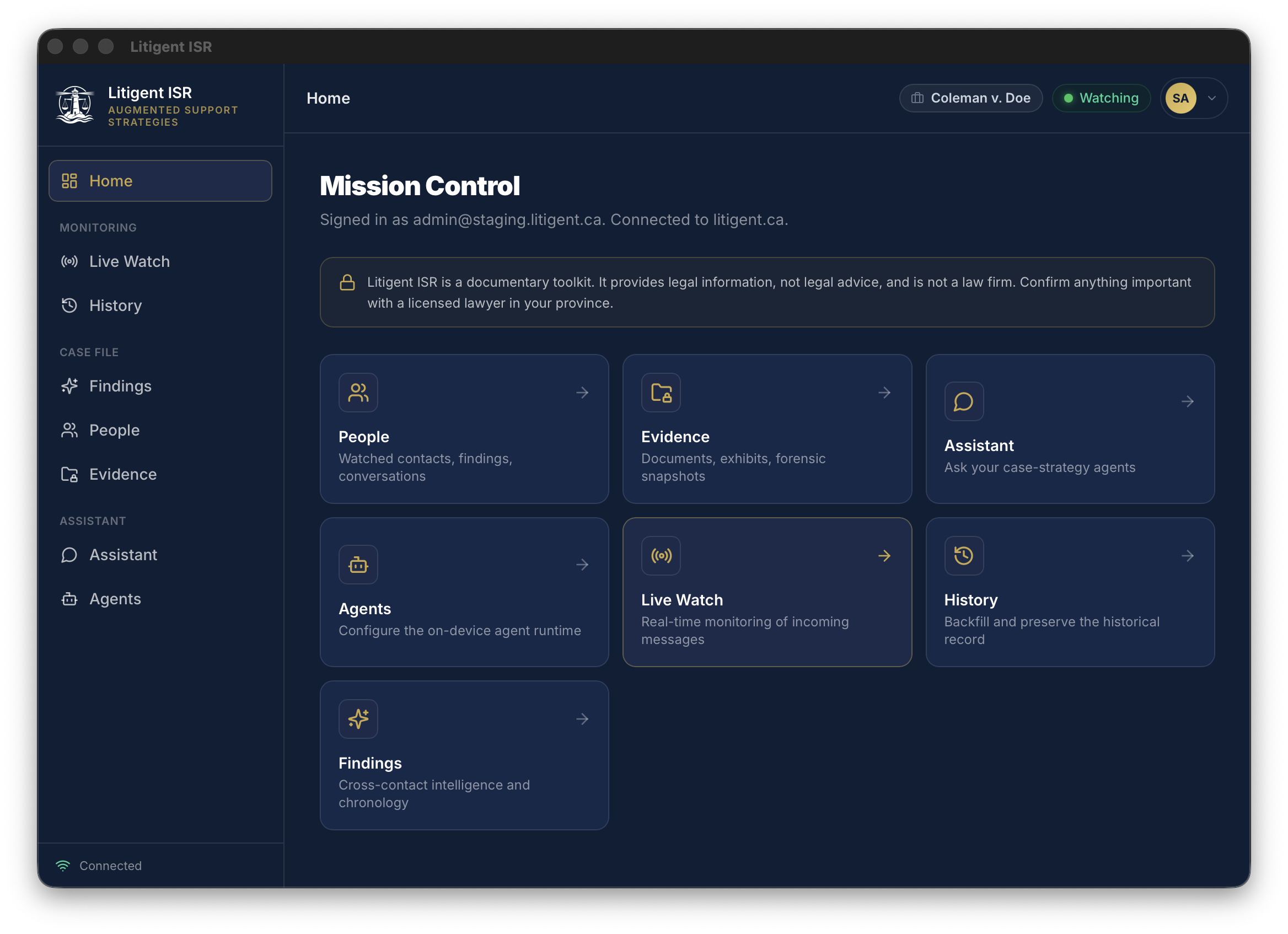
Mission Control — monitor your case's incoming messages and turn them into organized, court-ready findings, right on your Mac.
Built for the moments that end up in court
When every message from your co-parent could matter, ISR captures and organizes them into a clear, timestamped record — so nothing is lost, forgotten, or disputed later.
Start your documentary record early. ISR quietly preserves the communications you receive, so the day you sit down with a lawyer your evidence is already organized.
If you suspect your relationship is heading for court, keep a factual, tamper-evident record of what is actually being said to you — proof you can stand behind, not just a feeling.
Disputes rarely resolve in a day. For any active legal relationship that needs continuous attention, ISR runs in the background and turns a stream of messages into an organized case file.
Litigent ISR only monitors messages sent to accounts you own and control, such as your own iMessage and email. It is not for accessing anyone else's device or accounts.
System requirements
Install in five steps
- 1
Download the DMG and open it.
- 2
Drag Litigent ISR into your Applications folder.
- 3
Open Litigent ISR from Applications. Because the app is notarized by Apple, it launches without an unidentified developer warning.
- 4
Sign in with your Litigent account.
- 5
When prompted, grant Full Disk Access in System Settings, under Privacy and Security, then Full Disk Access. This lets the app read your own message history on your Mac.
Confirm your download is genuine
You do not have to take our word for it. You can confirm the file is authentic and untampered two ways before you trust it, straight from the Terminal.
SHA-256 checksum
Run this in the folder where the download landed, then compare the result to the value below. They must match exactly.
shasum -a 256 Litigent-ISR-1.0.0.dmg4f8d62ec06b95bcbeb662156ea0dfc10cb57bb7c111393b81290e1fe7f6b0f77You can also download the checksum file and run shasum -a 256 -c Litigent-ISR-1.0.0.dmg.sha256.
Apple code signature
Ask macOS itself whether the file passes Gatekeeper. A genuine copy returns accepted and source=Notarized Developer ID.
spctl -a -vvv --type install Litigent-ISR-1.0.0.dmgcodesign -dv --verbose=2 "/Applications/Litigent ISR.app"The signing authority should read: Developer ID Application: Jeffrey Coleman (C9J5246VDV)
Responsible use
Litigent ISR is built to watch communications sent to accounts that you own and control, such as your own iMessage and email. You are responsible for making sure your use follows the laws of your province, state, or country. Do not use it to access devices or accounts that are not yours.
Litigent is software. It is not a law firm and it does not provide legal advice. Nothing produced by the app is a substitute for advice from a licensed lawyer in your jurisdiction.
© 2026 Litigent AI Inc. · New Brunswick, Canada · Not legal advice.